



















How to Choose a Refurbished Phone Safely in the UK
Use seven practical checks to compare a refurbished phone's seller, grade, battery, software support, locks, warranty and returns before buying.
 Abdul Aziz
·
·
10 min read
Abdul Aziz
·
·
10 min read
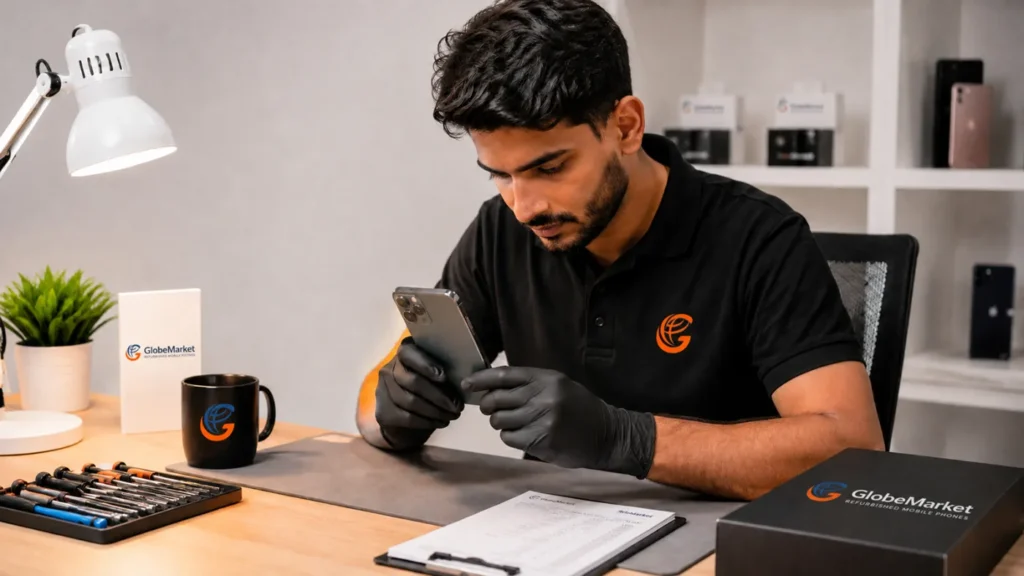
A safe refurbished-phone purchase starts with seven checks: the seller, condition grade, battery disclosure, remaining software support, network and account-lock status, warranty, and returns process. The best choice is not automatically the newest phone or the highest cosmetic grade. It is the model that meets your needs with clear evidence and useful protection if something goes wrong.
This guide shows UK buyers how to compare refurbished phones before ordering and how to test a handset after delivery. It also explains which details a condition grade cannot tell you.
Refurbished phone buying checklist
| Check | What to look for | Reason to pause |
|---|---|---|
| Seller | Named UK business, working contact details, physical return address and written policies | No clear business identity or no usable support route |
| Condition | A precise description of cosmetic wear and what the grade means | “Like new” or “excellent” without defined criteria |
| Battery | A stated battery check, minimum standard or model-specific health information | The seller will not explain how battery condition is assessed |
| Software support | The model still receives security updates from its manufacturer | Support has ended or will end too soon for your expected ownership period |
| Network and locks | Unlocked status and confirmation that activation accounts have been removed | The phone is tied to a network or previous owner’s account |
| Warranty | Written duration, coverage, exclusions and claim process | Verbal promises or unclear exclusions |
| Returns | Window, return method, postage responsibility and refund timescale | The policy is missing, contradictory or difficult to use |
1. Start with the job the phone needs to do
Choose the phone’s requirements before choosing a model. A lower-priced handset is poor value if it lacks the storage, battery life, camera capability or software-support period you need.
- Everyday calls, messages and banking: prioritise security updates, dependable battery performance and a comfortable screen.
- Photos and video: compare camera performance, storage capacity and cloud-backup options, not megapixels alone.
- Gaming: check the processor, display refresh rate, heat management and battery endurance.
- A child’s first phone: consider durability, manageable replacement cost, parental controls and a case.
- A phone for several years: give extra weight to remaining security updates, repairability and battery replacement options.
Then set a total budget for the phone, protective case, screen protector and any charger you need. Compare like with like: the same model, storage capacity, condition and warranty.
2. Know what “refurbished” means
A refurbished phone is a pre-owned handset that a business has inspected and prepared for resale. The exact process varies by seller, so the word “refurbished” is only useful when the seller explains the checks, repairs, grading and protection behind it.
A privately sold used phone may be cheaper, but it usually carries more uncertainty about testing, battery condition, account locks and after-sales support. An open-box phone may have seen little use but still needs a clear warranty and returns policy. See the full new vs refurbished vs used comparison before deciding which route fits your risk tolerance.
3. Check whether the seller reduces uncertainty
A trustworthy seller makes the important facts easy to find before payment. Look for the legal business name, contact details, return address, condition definitions, warranty terms and a practical support route.
Read recent reviews, but examine the pattern rather than the average score alone. Useful reviews describe whether the received condition matched the listing, how the battery performed, how quickly support responded and how returns were handled. Be cautious when listings use only generic stock photos while making specific claims about an individual handset.
GlobeMarket identifies its operating company in the website footer and publishes separate pages for returns and warranty information and its Help Centre. Read the current terms before ordering because operational details can change.
4. Treat the condition grade as a cosmetic description
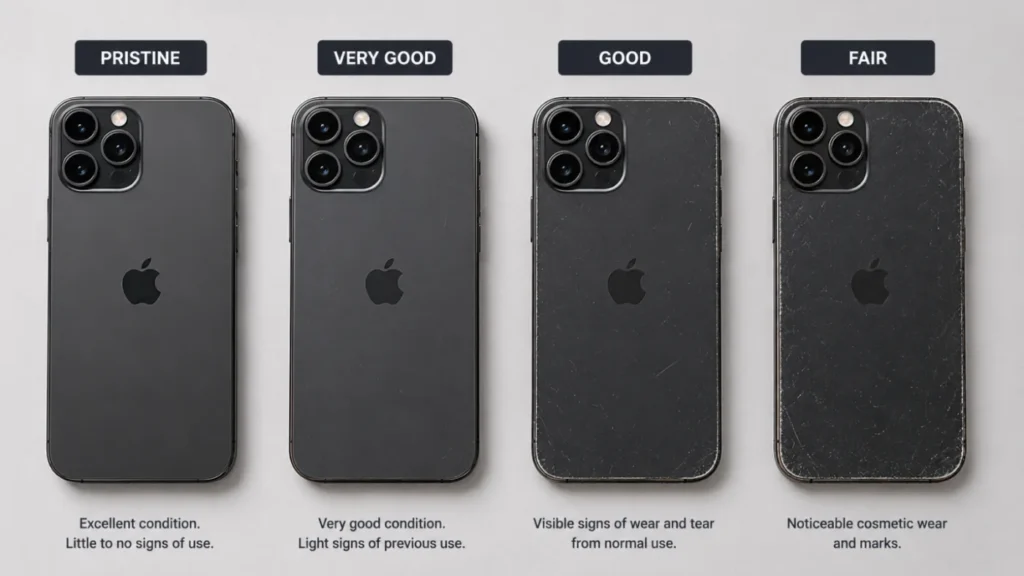
A condition grade should tell you how the phone looks, not whether essential functions work. Grade names are not standardised across the refurbished-phone industry, so “Pristine”, “Excellent”, “Grade A” and “Very Good” can mean different things at different sellers.
Read the seller’s definition and check whether it covers marks on the screen, frame and rear casing. Decide how much visible wear you will accept. A lower cosmetic grade can be sensible when the phone will immediately go into a case, but the listing should still describe the likely wear clearly.
GlobeMarket separates Brand New devices from refurbished devices and uses condition names including Pristine, Very Good, Good and Fair. Its dedicated guide explains the GlobeMarket refurbished-phone grades. Availability changes, so check the selected condition on the actual product page before buying.
5. Ask what the battery information really proves
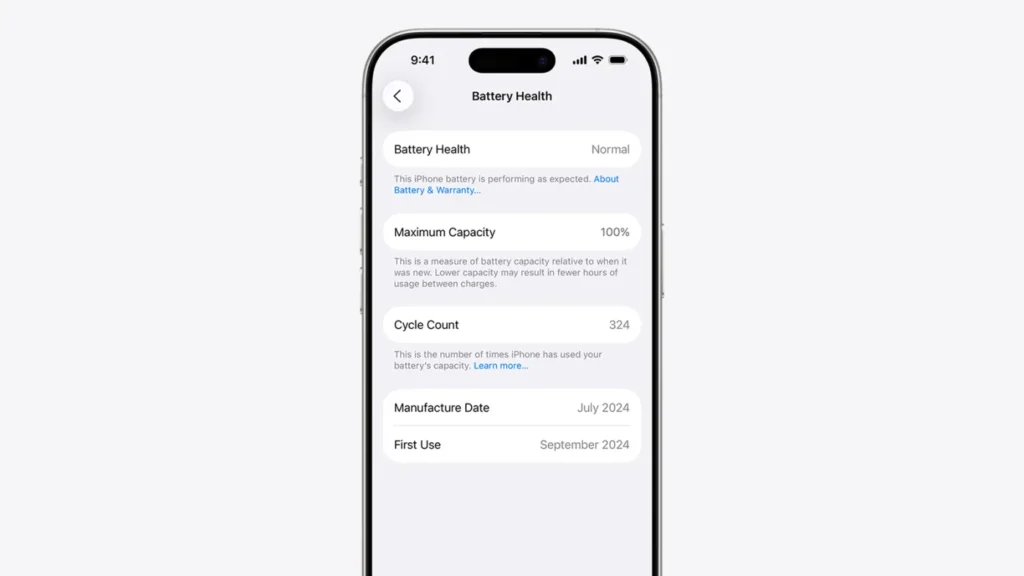
Battery condition affects daily use, but a cosmetic grade does not reveal battery capacity. Ask whether the battery was checked, what minimum standard applies, how the seller measures it and what happens if the handset falls below the stated standard.
On supported iPhones, maximum capacity appears under Settings → Battery → Battery Health or Battery Health & Charging, depending on the model and iOS version. Apple explains that rechargeable batteries have a limited lifespan and capacity declines with use. Android battery information varies by manufacturer and model, so use the manufacturer’s diagnostic instructions rather than assuming every Android phone reports one comparable percentage. Source: Apple Support.
GlobeMarket currently describes its refurbished phones as battery-checked, but it does not publish a numerical battery threshold on the main category page. If a specific capacity is essential to you, ask for the applicable standard before ordering.
6. Check how long the phone will receive security updates
Choose a model that is expected to receive security updates for the period you plan to keep it. A very cheap older phone can become poor value when manufacturer support ends shortly after purchase.
The UK National Cyber Security Centre advises buyers to avoid phones that are no longer supported, or whose support will end soon, where possible. Check the manufacturer’s current support information for the exact model, not merely the brand or product family. Software-support periods begin from a model’s release, not from the date you buy the refurbished handset. Source: NCSC guidance.
Also confirm that the phone can run the apps you rely on. Banking, authentication, workplace and health apps may raise their minimum operating-system requirements over time.
7. Confirm network compatibility and account-lock status
An unlocked phone can accept compatible SIMs from different networks, while a network-locked handset may restrict your choice. Check the listing and, after delivery, test the phone with your SIM and make a call.
The previous owner’s Apple, Google or Samsung account must also be removed. An activation-locked phone may be unusable even when its cosmetic condition is excellent. During setup, the phone should allow you to sign in with your own account without requesting the previous owner’s credentials.
Record the handset’s IMEI after delivery. Ofcom explains that the IMEI is a unique 15-digit identifier used by networks to block a lost or stolen phone. You can usually display it by dialling *#06#, although the exact route can vary. Source: Ofcom.
8. Read the warranty and returns policy before paying
A useful warranty states its duration, covered faults, exclusions, remedy and claim process. Check whether batteries, accessories, accidental damage, water damage, screen burn, unauthorised repairs or inspection charges are treated separately. A commercial warranty adds a seller process; it does not replace your statutory consumer rights.
For most goods bought online from a UK business, government guidance says the customer can cancel within 14 days of receiving the item and then has another 14 days to return it. Faulty or misdescribed goods are covered by separate consumer protections. Read the seller’s policy for notification steps, packaging, postage and refund timing. Source: GOV.UK.
GlobeMarket advertises a free 12-month warranty on its refurbished-phone category. The current GlobeMarket return and refund policy should be treated as the operational source for starting a return or warranty request.
9. Compare total value, not the headline discount
Compare the refurbished price with the current price of an equivalent new handset and with other refurbished listings of the same model, storage and condition. A listing with more storage, a clearer battery standard or stronger protection may offer better value even when its upfront price is higher.
Include likely ownership costs: a case, screen protector, compatible charger, battery replacement and repairs. Avoid paying extra for features you will not use, but do not save a small amount by choosing a model that lacks sufficient storage or software life.
If you are deciding between ecosystems, compare the practical differences in the refurbished iPhone vs Samsung Galaxy guide. Samsung buyers can also compare the Galaxy A Series and S Series.
10. Test the phone promptly after delivery
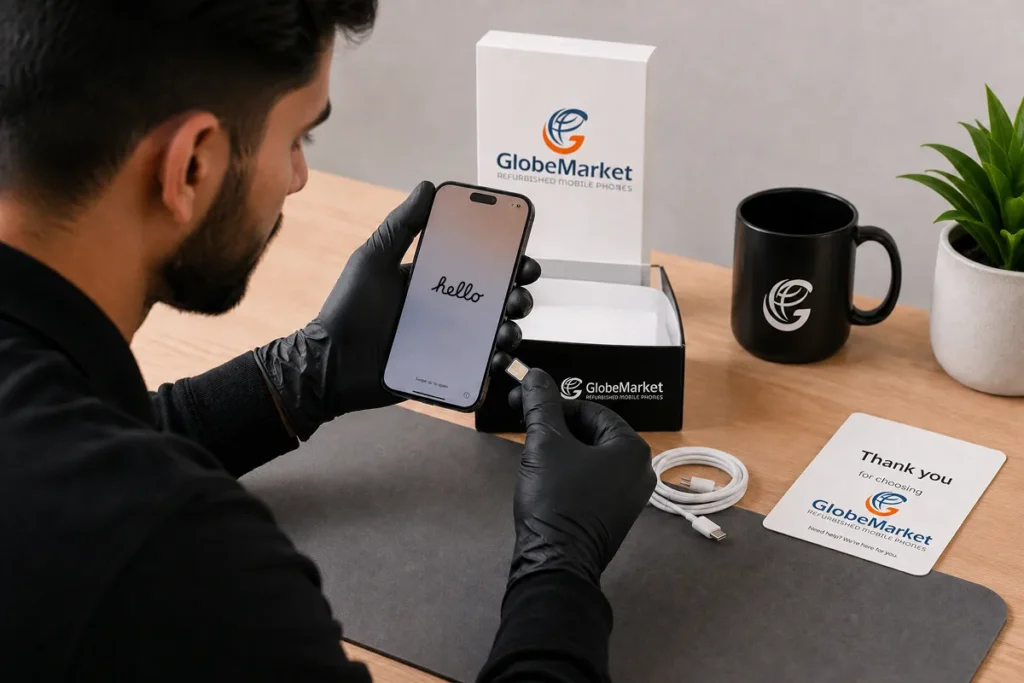
Inspect and test the handset while the return window is open. Keep the packaging, accessories and order information until you are satisfied.
- Match the order: verify the model, colour, storage and condition against the invoice and product page.
- Inspect the body and display: note any marks that exceed the advertised grade and photograph concerns immediately.
- Check account setup: confirm that no previous-owner activation lock appears and that you can add your own account.
- Test charging: try the supplied or recommended cable and inspect the port for an unreliable connection.
- Test calls and connectivity: insert your SIM, make a call, use mobile data, connect to Wi-Fi and pair a Bluetooth device.
- Test essential hardware: check the touchscreen, buttons, cameras, microphone, speakers, vibration, biometric unlock and any features you depend on.
- Review battery behaviour: check the available battery-health information and watch for unusual heat, sudden percentage drops or unexpected shutdowns.
- Install updates: update the operating system and apps, then enable a screen lock, automatic updates and backups.
If the phone is faulty, locked, misdescribed or materially different from the advertised condition, stop using it beyond what is necessary to inspect it. Photograph the issue and contact the seller through its official support route.
Which refurbished phone should you choose?
Choose the least expensive handset that meets your non-negotiable requirements and still has an acceptable support life. Pay more for a higher cosmetic grade only when appearance matters to you; pay more for stronger battery assurance, useful storage or longer software support when those benefits affect everyday ownership.
- Best for maximum reassurance: a recent model, clearly defined condition, documented battery standard and strong warranty from an identifiable retailer.
- Best for value: a slightly older supported model in a lower cosmetic grade, provided its functions, battery disclosure and protection are equivalent.
- Best for a gift: a higher cosmetic grade with enough storage and a simple return route.
- Best for long ownership: a model with several years of manufacturer security support and realistic battery-replacement options.
Ready to compare current options? Browse GlobeMarket’s refurbished phones, then check the selected model, storage, condition and current policy details before ordering.
Frequently asked questions
Is it safe to buy a refurbished phone?
Yes, provided the seller clearly explains the phone’s condition, testing, battery, network status, warranty and returns process. Also choose a model that still receives manufacturer security updates.
What battery health is good for a refurbished phone?
There is no single percentage that every seller or phone platform uses. Ask for the seller’s minimum standard, measurement method and remedy if the delivered battery does not meet it.
Does a higher refurbished grade mean a better battery?
No. A refurbished grade normally describes cosmetic condition. Battery capacity, storage, software support and network status need separate checks.
How old should a refurbished phone be?
Age alone is not the deciding factor. Check how long the exact model will receive security updates, whether it supports your apps and whether replacement batteries and repairs remain practical.
Are refurbished phones unlocked?
Not always. Confirm unlocked status in the listing and test the handset with your SIM after delivery. Also confirm that the previous owner’s activation account has been removed.
Last reviewed: 28 August 2026. Product availability and seller policies can change; check the relevant product and policy pages before purchase.